


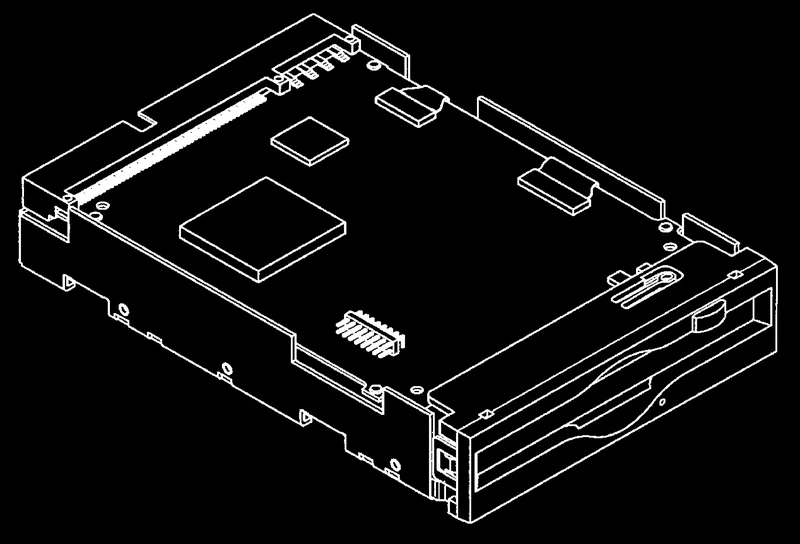

Installatiegids Installationsanleitung Guide d'installation

CNH1 (EINDVERMOGEN EN SCSI-AFBREKING) Terminal CNH1 gebruikt shorting bars om de stroombron in te stellen en SCSI-afsluiting aan of uit te schakelen.
SW1 EN CNH2 INSTELLINGEN Switch 1 stelt de SCSI ID en sommige aandrijffuncties in en CNH2 zet extra aandrijvingsfuncties.
Pin# functie kort geopend 1
Sleutel# Functiesleutel op sleutel uit 01

Stroom geleverd door 1 Short Open Host controller open korte schijf en host korte controller
SCSI ID SW1-01 SW1-02 SW1-03 0 • Uit off 1 uit op 2 uitgeschakelde aan 3 uit op 4 bij Off 5 in off op 6 Aan en af 7 aan
WERELDWIJDE WEBSITE Bedrijfsleven http://www.fujitsu.co.jp/ GUAYON http://www.fujitsu-computers.com.sg/ USA http://www.fcpa.com/ CANADA http://www.fujitsu.ca/ EUROPA http://www.fujitsu-europe.com/ AUSTRALIA http://www.fujitsu.com.au/
Apparaatstuurprogramma U moet Fujitsu's apparaat stuurprogramma installeren om het 2KB sector probleem in Windows9x en de OS-timeout-probleem te voorkomen in Winden 9x en NT3.51/4.0.
Pin# functie Kort openen
Uitwerppatroon Cartridges kunnen worden verwijderd door op de uitwerptoets te drukken of met een SCSI-uitwerpopdracht. Nooit een patroon mechanisch uitwerpen, behalve in noodgevallen.
Oriëntatie De aandrijving kan in één van de drie oriëntaties worden geïnstalleerd; PCA omhoog of aan beide zijden.
16 Grond
15 Termining resister mode Uitgeschakeld
14 SCSI type 0 SCSI 2 SCSI 1
13 Macintosh-modus uitgeschakeld
12 Grond
11 Schrijf verificatiemodus uitgeschakeld
10 SCAM-modus uitgeschakeld
9 Apparaattype modus Vaste schijf MO
8 Grond
7 Signaal om patroon uit te werpen
5 LED-bron (
3 LED-bron (+5 V)
1 Incartridge detectie
Reinigingslens en mediaaanbeveling Reinig de lens op het aandrijfhoofd en de schijfmedia eens in de drie maanden. In een vuile omgeving kan het nodig zijn vaker schoon te maken. Gebruik de Fujitsu hoofd schoonmaakset en media reiniging kit. Hoofd schoonmaak kits van andere leveranciers zal niet werken.
TTL-IC


16 Grond
15 Termining resister mode Deaktiviert Aktiviert
14 SCSI type 0 SCSI 2 SCSI 1
13 Macintosh-modus Deaktiviert Aktiviert
12 Vaak 1
11 Schrijf verificatiemodus Aktiviert Deaktiviert
10 SCAM-modus Deaktiviert Aktiviert
Pin Funktion Offen Geschlossen
9 Apparaat type modus Festplatte MO
8 Vaak 0
7 Signaal om patroon uit te werpen
5 LED-bron (
3 LED-bron (+5 V)
1 Incartridge detectie
TTL-IC
Broche# Fonction Fermé Ouvert 1
CNH1 (Alimentation de la résistance terminale SCSI) De connecteur CNH1 maakt gebruik van des cavaliers pour définir la source d'alimentation de la resistance terminale et pour valider la terminaison SCSI.
Configuratie SW1 et CNH2 De woon-werkverkeersonderneming SW1 est utilisé pour la sélectie de l'adresse SCSI et quelques fonctions disque, CNH2 ajoute d'autes fonctions.

Ce manuel a été réalisé pour guider l'utilisateur dans l'installation et la configuration du MCE3064SS/MCF3064S/MCE3130SS. Opmerking: La configuration d'usine est indiquée par le signe
Clé# Fonction Clé On Clé Off 01 Identificator SCSI
Résistance 1 Diske Fermé Ouvert Ordinator Ouverse Fer mé Disque et Ordidateur Ferme Ferté
SCSI ID SW1-01 SW1-02 SW1-03 0 • Uit off 1 uit op 2 uitgeschakelde aan 3 uit op 4 bij Off 5 in off op 6 Aan en af 7 aan
WERELDWIJDE WEBSITE Bedrijfsleven http://www.fujitsu.co.jp/ GUAYON http://www.fujitsu-computers.com.sg/ USA http://www.fcpa.com/ CANADA http://www.fujitsu.ca/ EUROPA http://www.fujitsu-europe.com/ AUSTRALIA http://www.fujitsu.com.au/
Oriëntatie L'unité de disque peut-être installée selon l'une des trois orientations: carte électronique vers le haut ou sur l'un des deux cotés. Ejection de la cartouche La cartouche peut-être éjectée en appuyant sur le bouton éjection ou par une commande SCSI. N'utiliser l'éjection mécanique qu'en dernier recurs. Aanbevelingen voor het
Pilote de périphérique Vous devez installateur le pilote de périphérique Fujitsu pour éliminer le problème de secteur de 2Ko sous Windows 9x et le problem de délai dépassé du SE Sous Winden 9x en NT 3.51/4.0.
Broche# Fonction Ourert Fermé
16 Masse
15 Terminaison SCSI Non ralidé Validé
14 SCSI type 0 SCSI 2 SCSI 1
13 Modus Macintosh Non ralidé Validé
12 Masse
11 Vérification après écriture Validé Non ralidé
10 modus SCAM Non ralidé Validé
9 Type d'unité Disk fixe MO
8 Masse
7 Commande d'éject de la cartouche
5 Alimentatie voyant (massa)
3 Alimentatie voyant (+5 V)
1 Détection présence cartouche
nettoyage de l'unité de disque et des cartouches Nettoyer la linille et les cartouches tous les trois mois. Dans un environment poussiéreux, il est recommandé de le faire plus fréquemment. Utiliser les kits de nettoyage FUJITSU. Les kits de nettoyage d'autre origine ne Donneront pas content.
Tableau 1 · panneau opérateur
Eigenaren en ons team reageren doorgaans binnen een dag — en uw vraag helpt ook de volgende persoon.
Stel als eerste een vraag — andere eigenaren of ons team geven antwoord.