


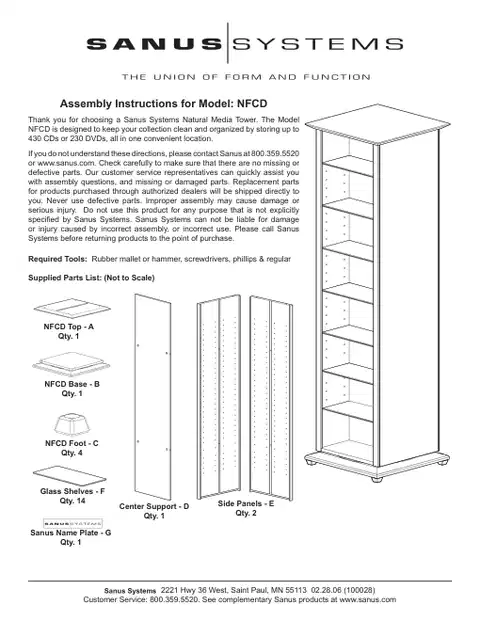


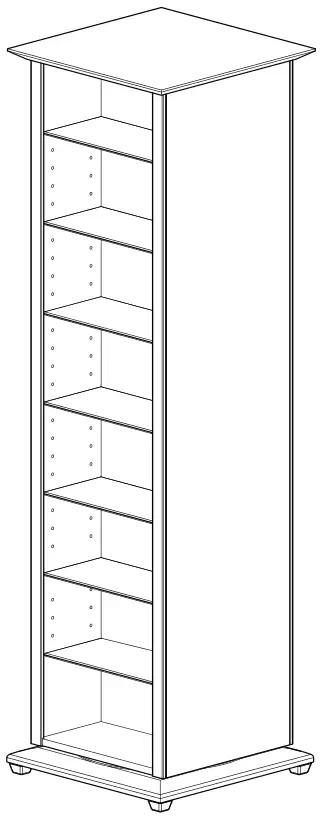
Thank you for choosing a Sanus Systems Natural Media Tower. The Model NFCD is designed to keep your collection clean and organized by storing up to 430 CDs or 230 DVDs, all in one convenient location.
If you do not understand these directions, please contact Sanus at 800.359.5520 or www.sanus.com Check carefully to make sure that there are no missing or defective parts. Our customer service representatives can quickly assist you with assembly questions, and missing or damaged parts. Replacement parts for products purchased through authorized dealers will be shipped directly to you. Never use defective parts. Improper assembly may cause damage or serious injury. Do not use this product for any purpose that is not explicitly specified by Sanus Systems. Sanus Systems can not be liable for damage or injury caused by incorrect assembly, or incorrect use. Please call Sanus Systems before returning products to the point of purchase.
NFCD Top - A
Qty. 1
NFCD Base - B
Qty. 1
NFCD Foot - C
Qty. 4
Glass Shelves - F
Qty. 14
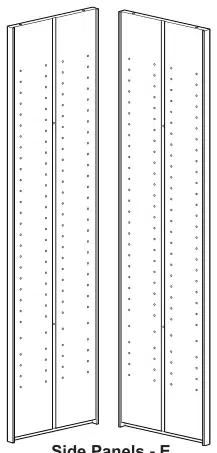
Side Panels - E
Center Support - D
Qty. 2
Qty. 1
Sanus Name Plate - G
Qty. 1
Sanus Systems 2221 Hwy 36 West, Saint Paul, MN 55113 02.28.06 (100028) Customer Service: 800.359.5520. See complementary Sanus products at www.sanus.com

Cam Pin - I
Plastic Dowel - J
Qty. 4
Qty. 4
Qty. 4
Qty. 4 Machine Screw - K
Wood Screw - L
Shelf Pin - M
Qty. 4
Qty. 56
Insert a Machine Screw (K) into each Foot (C); then using the regular screwdriver, attach the Feet to the NFCD Base (B).
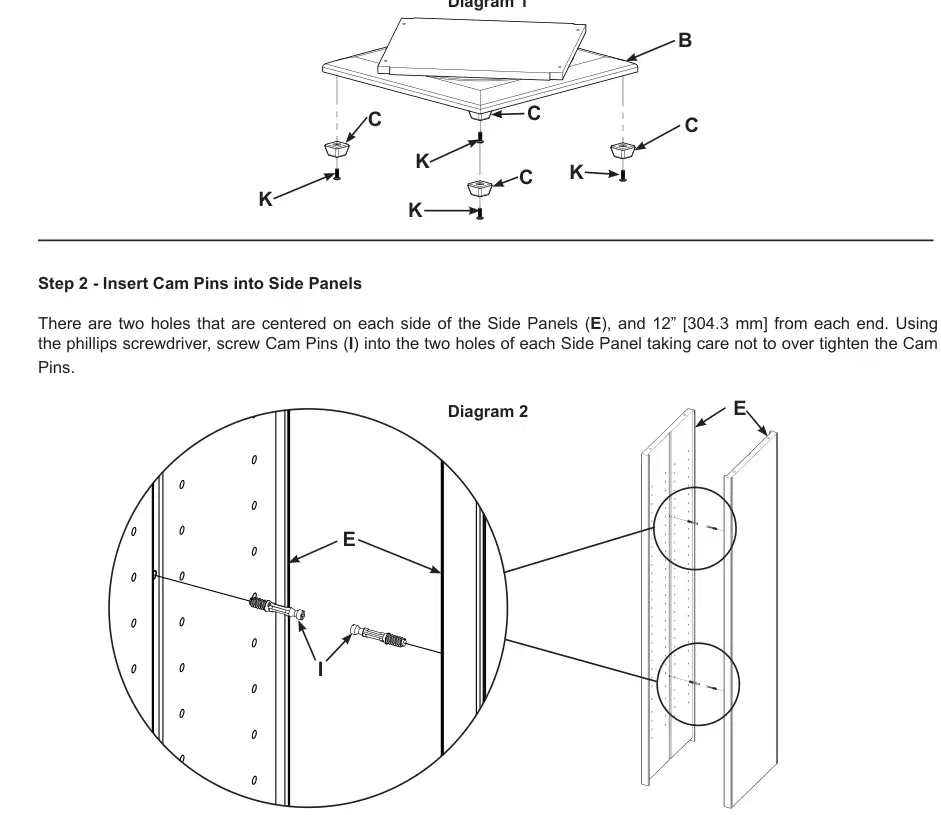
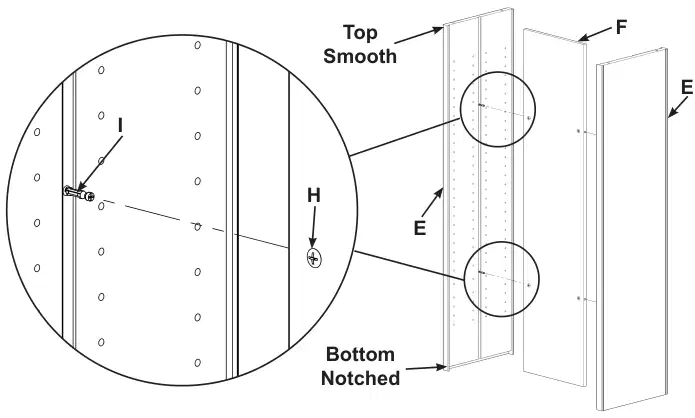
There are two holes that are centered on each side of the Side Panels (E), and 12” [304.3 mm] from each end. Using the phillips screwdriver, screw Cam Pins (I) into the two holes of each Side Panel taking care not to over tighten the Cam Pins.
Cam - H

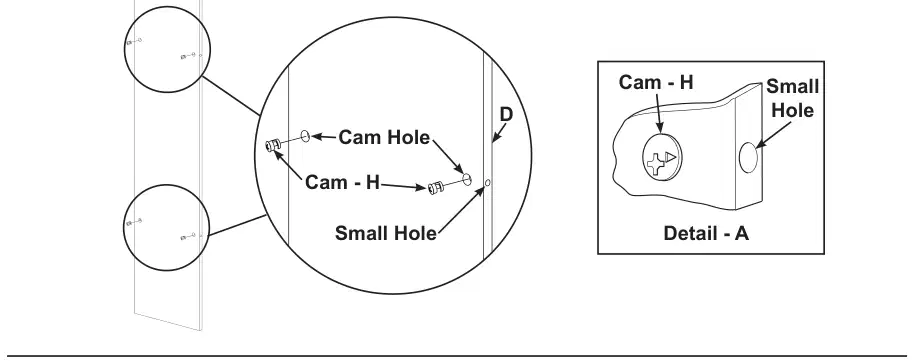
Place a Cam (H) into each of the four holes in the Center Support (D) NOTE: Each Cam has an arrow on it. Using a phillips screwdriver align each Cam so the arrow is pointing toward the small hole on the edge of the Center Support (See Detail - A).
The Cam Pins (I) installed in each Side Panel (E) line up with the small holes in the edge of the Center Support (F). The top of each Side Panel is smooth and the bottom has a notch routed in the inside edge.
Attach a Side Panel to each side of the Center Support and using a phillips screwdriver, rotate each Cam (H) clockwise until tight (See Detail - B).

Stand the unit up so that the notched bottom of each Side Panel is facing down and the smooth top edge is facing up.
Tap a Plastic Dowel Pin (J) into the holes in the top edge of each Side Panel (E); then, align the holes of the NFCD Top (A) with the Dowel Pins and the slot across the NFCD Top with the Center Support (D). Firmly press the NFCD Top onto the Dowel Pins and Side Panels, until it is firmly seated.
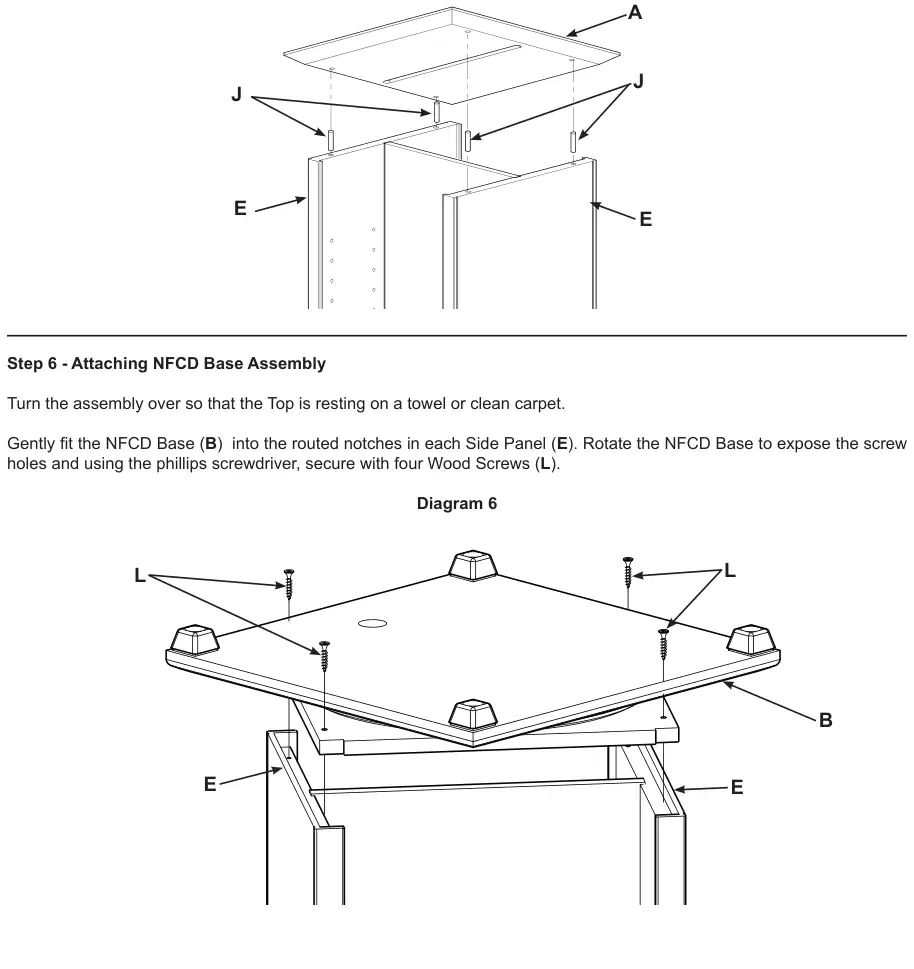
Turn the assembly over so that the Top is resting on a towel or clean carpet.
Gently fit the NFCD Base (B) into the routed notches in each Side Panel (E). Rotate the NFCD Base to expose the screw holes and using the phillips screwdriver, secure with four Wood Screws (L).

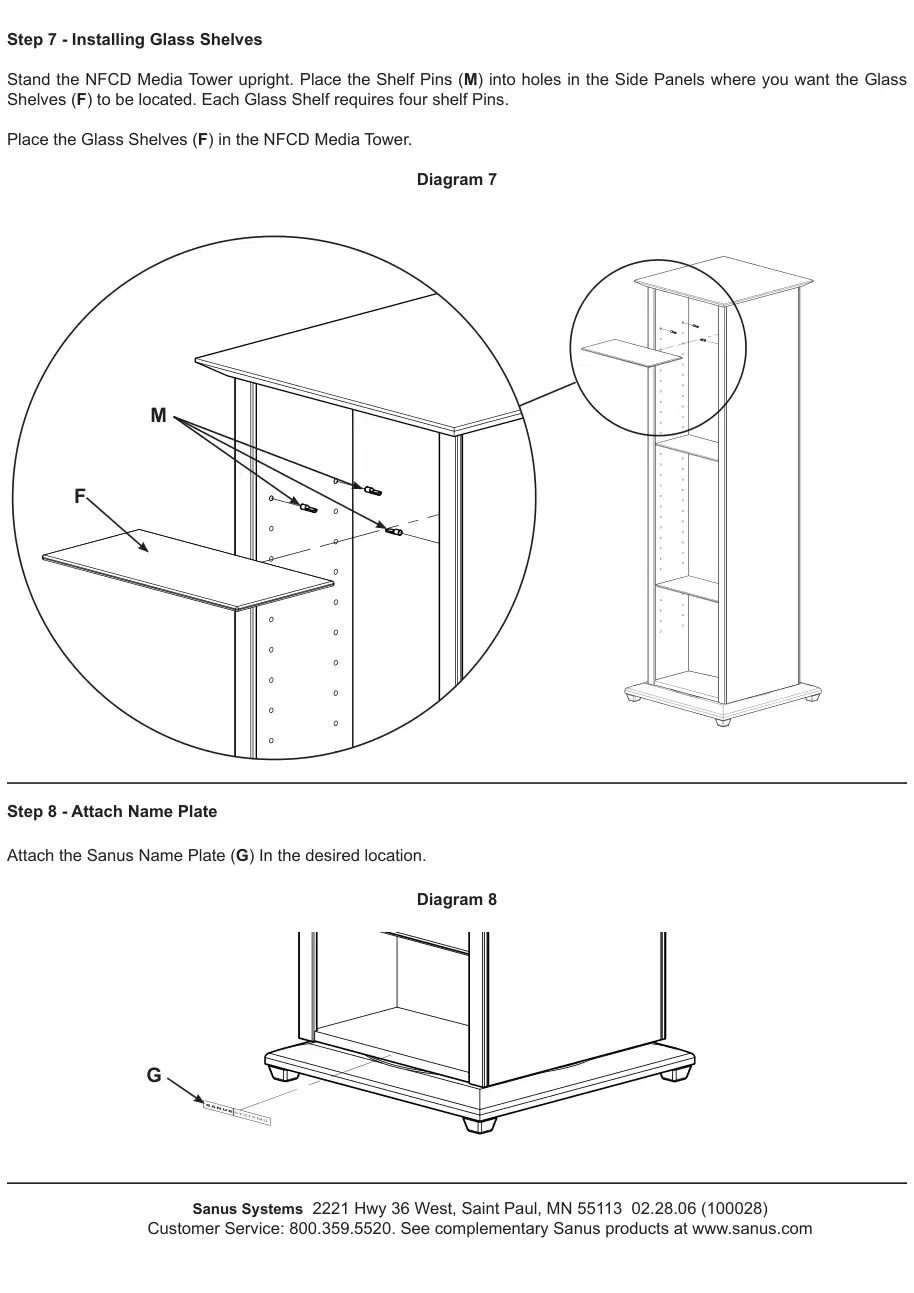
Stand the NFCD Media Tower upright. Place the Shelf Pins (M) into holes in the Side Panels where you want the Glass Shelves (F) to be located. Each Glass Shelf requires four shelf Pins.
Place the Glass Shelves (F) in the NFCD Media Tower.
Attach the Sanus Name Plate (G) In the desired location.
Sanus Systems 2221 Hwy 36 West, Saint Paul, MN 55113 02.28.06 (100028) Customer Service: 800.359.5520. See complementary Sanus products at www.sanus.com
Pagina's waarnaar wordt verwezen in deze handleiding — fabrikant, ondersteuning en downloads.
Eigenaren en ons team reageren doorgaans binnen een dag — en uw vraag helpt ook de volgende persoon.
Stel als eerste een vraag — andere eigenaren of ons team geven antwoord.